How do you handle clients who make all their proofing picks on a phone?
Most clients now open their gallery on a phone first, and many never open it anywhere else. Here is what that changes about their picks and how to design proofing around it.
What a phone does to a photo selection
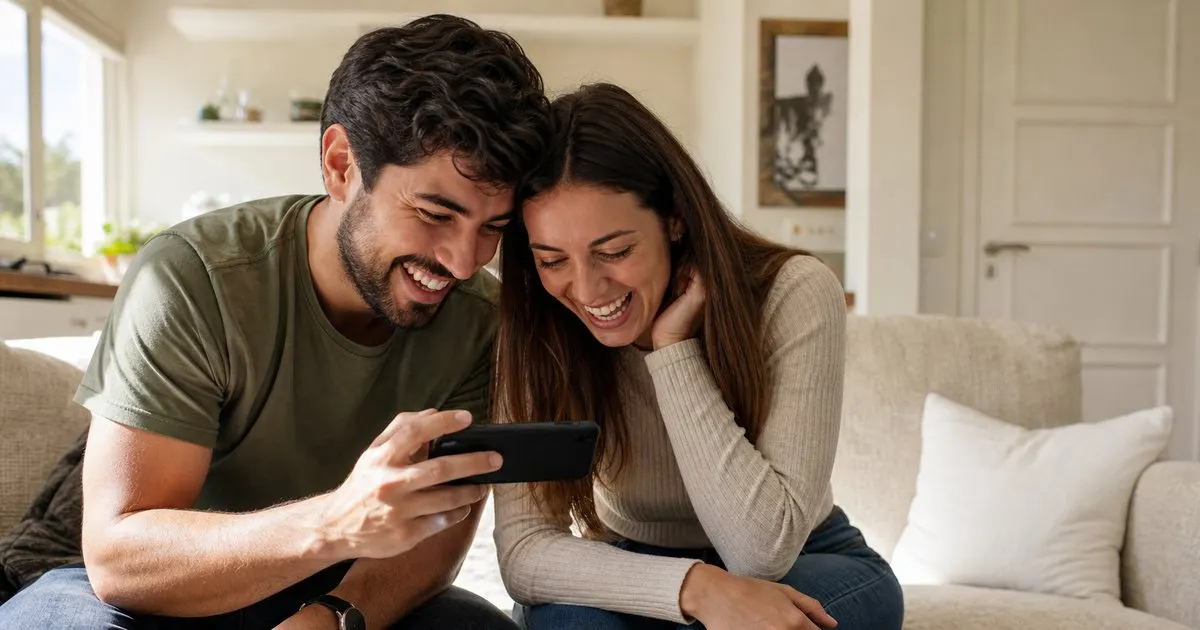
On a phone, every image is small, bright, and viewed at arm's length in a room full of distractions. Fine details vanish: a slightly soft eye, a stray hair, a subtle expression shift between two frames. What survives is the overall impression, the color, and the gesture. Clients choosing on a phone pick the frame that reads well as a thumbnail, and that is not always the one that will hold up as a large print or an album spread.
Phones also change the pace. People swipe through a gallery in a few minutes between other tasks, favorite quickly, and rarely go back to compare two similar frames side by side. Picks skew toward the first strong image in a sequence and away from quieter frames that reward a second look. None of this is a problem with the client. It is a property of the device, and your proofing process should account for it rather than fight it. Related: Streamlining Client Proofing After a Shoot
Keep reading: Streamlining Client Proofing After a Shoot, Why Image Numbers Over Email Fail, Setting Client Expectations for Selections. See how Framepickr helps you photographer client proofing galleries with print-order markup.
Design the gallery for thumbs first
Since the phone is where the first impression happens, make sure the gallery works there without compromise. Large, fast-loading previews; a favorite button that is easy to hit with a thumb; a clear count of how many images have been picked; and a way to see only favorites at a glance. If the client has to pinch, zoom, or hunt for a button, they will do less of the careful comparing you want them to do. Related: How Many Proofs to Show a Client
Ordering matters more on a phone than on a desktop, because clients see fewer images per screen and give up sooner. Lead with the strongest frames, group similar frames together so comparison is one swipe rather than a search, and trim near-duplicates before the gallery goes live. A tight gallery of eighty carefully sequenced images will produce better picks on a phone than two hundred images in capture order.
Nudge the important decisions toward a bigger screen
For casual selection, phone picks are fine and you should accept them gladly. For decisions with money or permanence attached, such as the album cover, a large wall print, or the single headshot that will represent someone professionally for years, ask the client to confirm on a larger screen. Say it plainly in the gallery and in your delivery email: "Favorites are perfect on your phone. For your wall print and album picks, please take a second look on a laptop or tablet." Related: Why Image Numbers Over Email Fail
A useful pattern is two-stage selection. Stage one is broad favoriting, which happens wherever the client happens to be. Stage two is a short list you send back with your recommendations, viewed at a scheduled time, ideally on a larger screen or during a quick video call where you share the images at full size. This keeps the fast, fun part on the phone and moves the careful part to a setting where the details are visible. Related: Setting Client Expectations for Selections
Use your judgment where the device cannot
When a client's phone picks include a frame you know will not hold up, say so. Not "you chose wrong," but "these two are nearly identical and the second one is sharper at print size, so I'd suggest that one." Clients almost always defer, and they appreciate being protected from a choice they could not evaluate on a small screen. Build this review into your process so it happens on every job, not just the ones where you happen to notice.
The same applies to crops and orientation. A vertical image that looks great filling a phone screen may be a poor fit for the horizontal frame the client has in mind. Ask what they plan to do with each of their top picks, and check that the image actually suits it. The phone gave you a quick, honest signal of what the client loves. Your job is to make sure what they love also works on the wall.
- Phone picks favor overall impression and the first strong frame; details and quiet images get lost.
- Design galleries for thumbs: big previews, one-tap favorites, tight sequencing, and no near-duplicates.
- Keep casual favoriting on the phone but route wall prints and album picks to a larger screen.
- Review every selection yourself and flag frames that will not hold up at print size.

Julien Jimenez
Julien Jimenez is an independent software builder based in Paris. He designs, ships, and operates focused SaaS products for small businesses and independent professionals. Read the full author page.
Let clients pick their photos without the back and forth
Photographer client proofing galleries with print-order markup. Framepickr is built to help you put this into practice.
Create a galleryMore from the Framepickr blog
Streamlining Client Proofing After a Shoot

Why Image Numbers Over Email Fail

Setting Client Expectations for Selections
Get the Framepickr playbook
Practical guides on photo proofing, straight to your inbox as we publish them. No spam, unsubscribe any time.